Ricoh printer repair
A Ricoh that shows an SC code has already told you most of what's wrong. You only need someone who can read it.
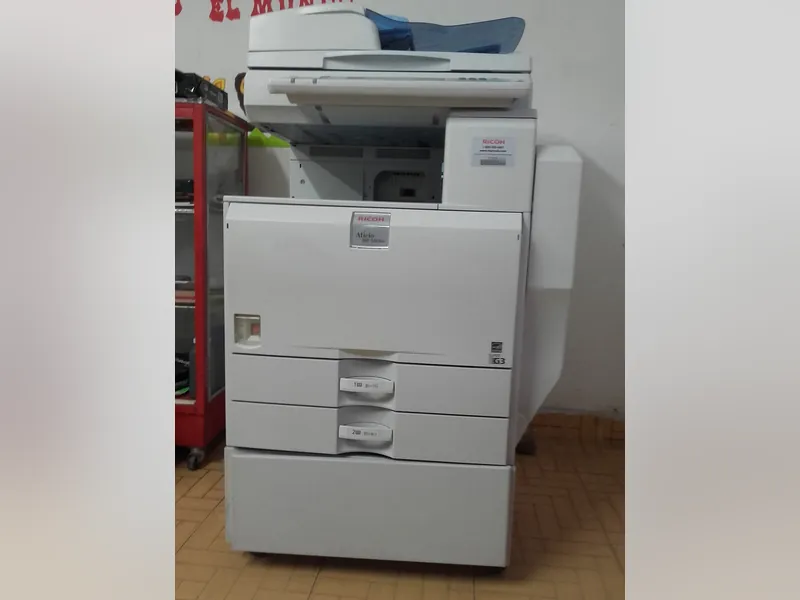
We repair Ricoh wide format machines and Ricoh office copiers for businesses across the GTA. Most calls start with an SC service code, a paper jam that keeps coming back, or lines on prints and scans. Floor-standing machines are repaired on-site, and you approve the price before the repair starts.
On this page
- What an SC code means
- Common Ricoh faults
- Wide format and copiers
Request this repair
What does an SC code on a Ricoh mean?
SC stands for service call. The number after it names the part of the machine that reported the fault.
Write the full code down before you switch the machine off. Some SC codes clear with a restart and some lock the machine until the part is fixed.
If the same code comes back, it's a hardware fault. Restarting again won't change it.

What goes wrong with Ricoh machines?
- Fusing unit errors and prints that smear
- Jams in the same spot every time
- Lines or bands on prints
- Lines on scans from the document feeder
- Toner that isn't being supplied
- Roll feed and cutter faults on wide format models
Which Ricoh machines do you repair?
Wide format toner machines for drawings, and the floor-standing copiers found in the same offices.
Questions people ask
We have a Savin or Lanier copier. Is that the same thing?
Usually, yes. Savin and Lanier are Ricoh's own brands, and many of their machines are Ricoh models under a different badge. Call with the model number.
Do we need a service contract?
No. We repair per call. See copier repair for how that works.
Can you fix a Ricoh that jams every few pages?
Yes. Repeat jams are worn feed rollers or something stuck in the paper path far more often than a major failure.