Sharp printer repair
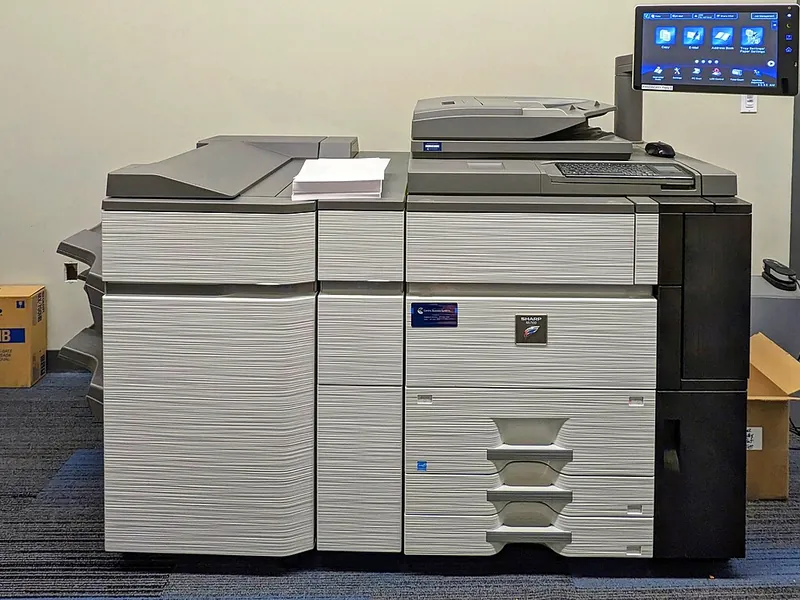
A Sharp copier with a code on the screen and a queue of people behind it. Here's what the code is saying.
We take repair calls for Sharp MX copiers and multifunction machines from offices across the GTA. The common faults are trouble codes that stop the machine, fusing problems, paper jams in the same place every time, and lines on copies and scans. Call with the model and the code for a price before the repair.
On this page
- Sharp trouble codes
- Common Sharp faults
- Before you call
Request this repair
What does a Sharp trouble code mean?
Sharp codes are a letter and number pair, such as H4-00. The letter names the area of the machine.
H codes concern the fusing unit, the part that melts toner onto the page. Those usually need a technician, and the machine may stay locked until it's fixed.

What goes wrong with Sharp copiers?
- Fusing unit faults
- Jams at the same spot in the paper path
- Lines on copies from the document feeder glass
- Drum and developer wear: faint or dirty prints
- Trays that won't lift or won't feed
What should I check before calling?
- Write down the full code.
- Note where the last jam was, if there was one.
- Check whether lines appear on prints, on copies, or both. It tells us if the scanner or the print side is at fault.
Questions people ask
Why do lines show on copies but not on prints?
Then the fault is on the scanning side. Often it's a mark on the narrow strip of glass the document feeder scans through.
Do we need a service contract?
No. Repairs are done per call. See copier repair.