Toshiba printer repair
An e-STUDIO that says Call for Service isn't going to fix itself, but the code beside the message helps a lot.
We take repair calls for Toshiba e-STUDIO copiers and multifunction machines from businesses across the GTA. Typical calls are a Call for Service message with a code, fuser faults, jams that keep returning and prints that come out faint or marked. Read us the model and the code, and you get a price before work starts.
On this page
- Call for Service messages
- Common e-STUDIO faults
- Finisher problems
Request this repair
What does Call for Service mean on a Toshiba?
It means the machine found a fault it can't clear by itself. The code shown with it points at the unit involved.
Note the code, then switch off and on once. If the message returns, leave it off and call.
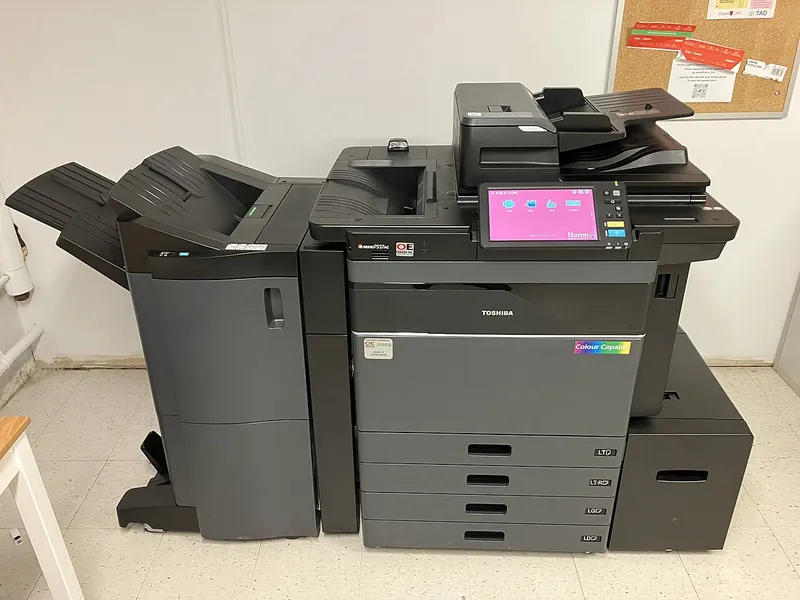

What goes wrong with e-STUDIO machines?
- Fuser faults
- Repeat jams from worn rollers
- Faint, dirty or streaked prints
- Document feeder misfeeds and lines on scans
- Toner not being supplied
Do you fix finisher problems too?
Finishers are a common source of trouble: staples that jam, stacks that come out uneven, folds that drift.
Tell us which finisher is attached when you call. They're separate units with their own parts.
Questions people ask
Is the repair done on-site?
Yes, for floor-standing machines. See on-site printer repair.
Our lease ended and we kept the machine. Can you service it?
Yes. Machines that are owned outright are repaired per call.